

If you’ve been using HumanizeAI.pro, you probably have seen it change a few words and sentences. However, your content may still feel flat and not up to the standards you were looking for.
Your clients and AI detection tools might still spot patterns that feel robotic. And, when you are dealing with essays, blog posts, or client work, it can get stressful very quickly.
The thing is that the words may be changed, but the rhythm stays the same. It sounds fresh, but not personal.
Just swapping the words around doesn’t help you sound like “you.” Moreover, AI detection tools are getting more and more strict. So, people are seeking better options.
In this post, I’ve come up with the five best alternatives to HumanizeAI.pro. It may also help you decide which tool to pick for which writing task.
Before we move any further, I’ll make it clear. The selection process wasn’t random. I selected the HumanizeAI.pro alternatives depending on the factors that really matter for our everyday writing. Here are the criteria I considered.
These are the factors that revealed which humanizing tools are genuinely helpful for a user’s true needs, not for mere rewording.
To list these five alternatives, I didn’t rely on just feature lists or marketing pages. Rather, I put each tool through a practical hands-on test. I gave AI-generated inputs to the tools and judged the output they provided. I analyzed it for natural flow, meaning, accuracy, and AI detection. In the breakdown below, expect nothing less.
We will see what each tool exactly does in practice. Along with that, we’ll also cast an eye on the features and pricing of each tool and see which writing tasks they are best suited for.
ezHumanizer is the first AI humanizer on our list that makes AI-generated content sound human. Rather than just swapping words, it performs sentence-level humanization. Its main focus is on sentence structure and the rhythm of the writing.
For testing, I generated a paragraph of around 120 words using ChatGPT. I checked its AI score, and it was flagged as 100% AI/GPT generated:
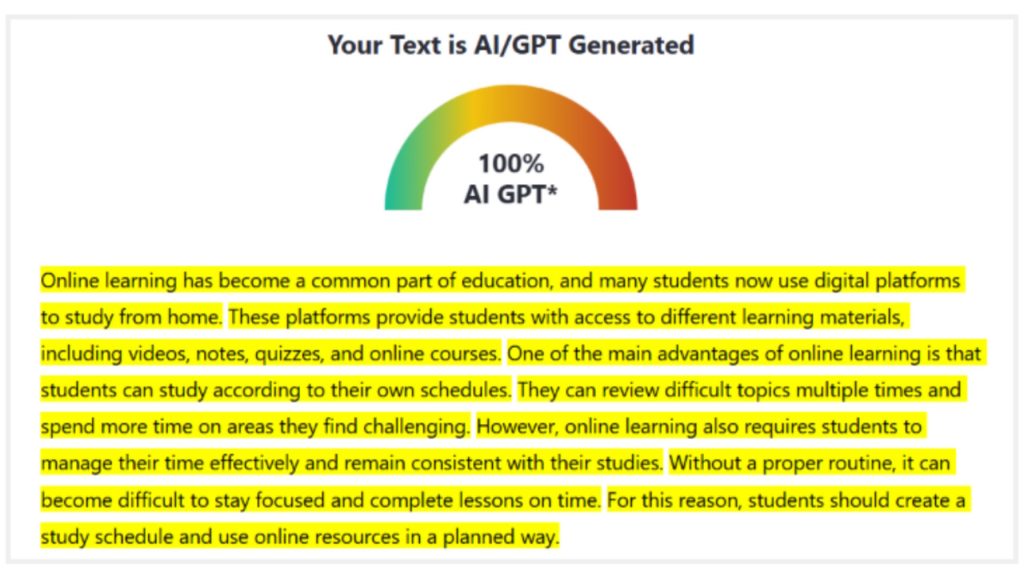
Note: This same paragraph will be used for each tool’s practical demonstration.
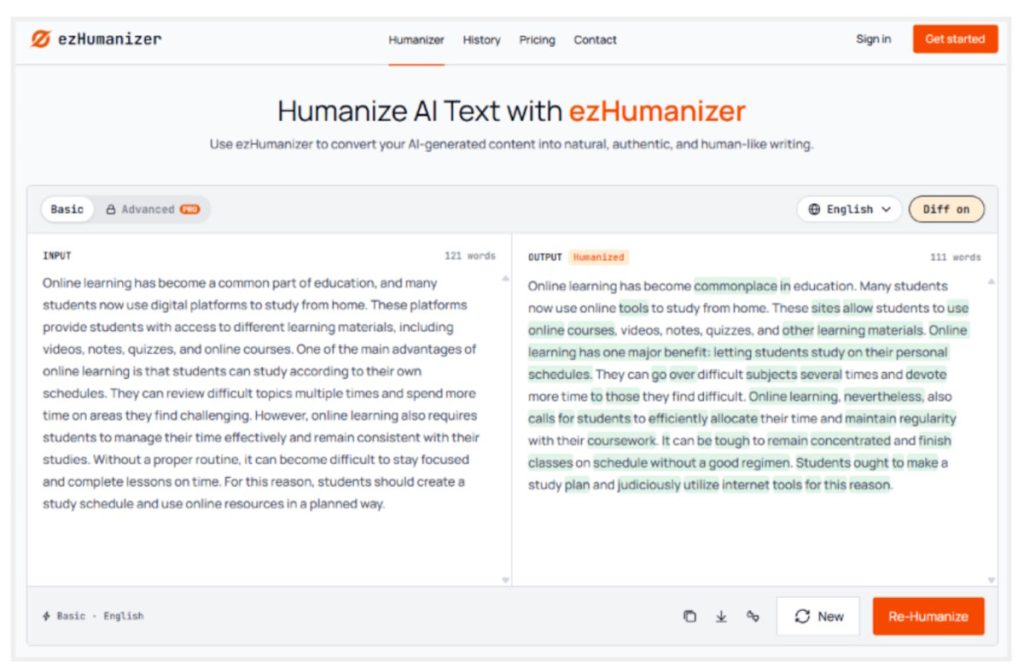
Then I entered the same paragraph into ezHumanizer and went with the basic mode that was available for free. Here’s the output it provided:
I copied this output and ran it through the AI detector. Here’s the result:
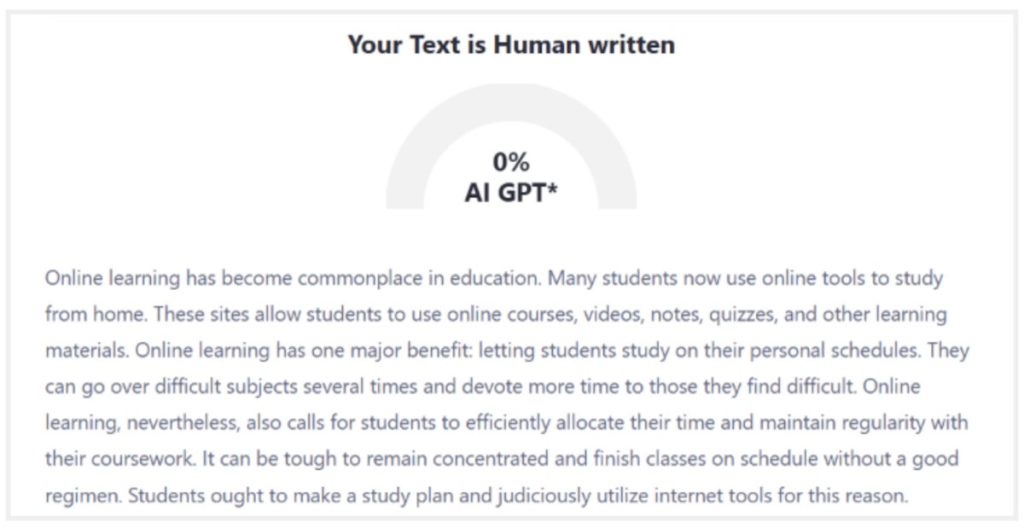
These results show that the humanization was deeper than the surface-level word swapping. I’m not talking just about the AI detection score. Based on the tool’s actual output, I noticed that ezHumanizer made complex sentences simple and chose easier wording compared to AI. Also, I didn’t find any grammar mistakes in the output either. The process required a single click to humanize the AI text.
Prominent Features
Pricing
It’s free for basic use with daily usage limits (2500 credits and 700 words/submission). For higher limits and advanced features, paid options are available. The monthly plan is offered for $6/mo, and the yearly plan starts at $3.8/mo.
Best For
Marketers, writers, students, and professionals who want sentence-level humanization, simple wording, and human-like rhythm.
iLoveNote’s AI Humanizer is one of the various tools offered by iLoveNote (Formerly Editpad). It smooths out the mechanical patterns of AI writing. Still, it maintains the original voice of the text. It refines the robotic tone, making it natural and clear to understand.
To test the tool’s performance, I pasted the AI-generated text into it and ran the humanization. I went with the ‘Basic’ mode (although the advanced mode was also available for free):
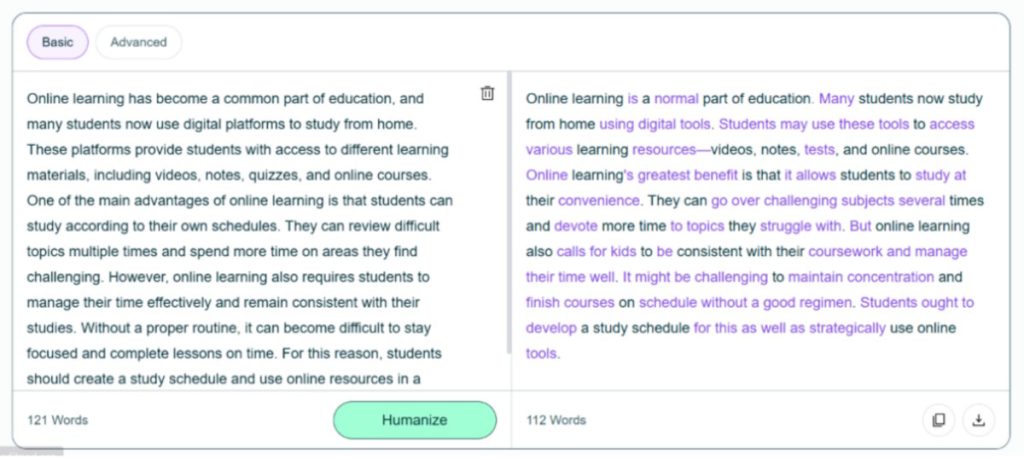
After copying the tool’s output, I checked it for AI detection:
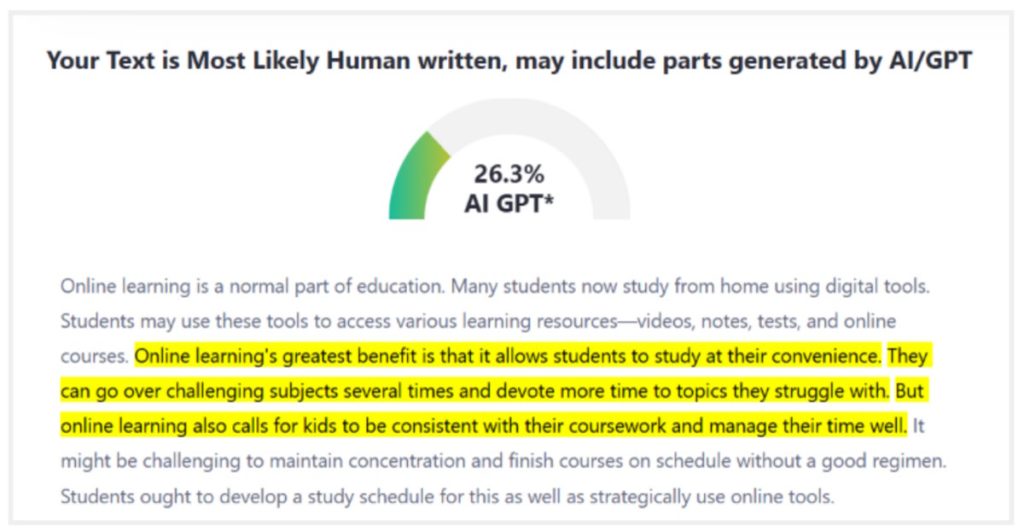
The output was labeled as “most likely human-written”, and it’s enough to say that the tool humanized the text. It reworked the stiff, repetitive sentence openings and replaced the generic transitions with more natural connectors. As a result, the humanized text felt like a continuous thought (which is often missing in AI-generated text). The original academic tone of the text mostly stayed consistent throughout.
Prominent Features
Pricing
The Humanize AI Text tool is available for free. Both the basic and advanced humanizing modes are also accessible in the free version. However, higher limits of humanizer words can be obtained through premium plans that are part of full platform subscriptions. The All-in-One plans are available for $5.99/week, $12.99/month, and $125/year.
Best For
Content writers, marketers, PR professionals, and SEO executives who need better flow and a more natural tone for their content
AI Humanize is another tool that promises to bypass major AI detectors, including Turnitin, ZeroGPT, Copyleaks, and more. It preserves the original message of your text while making it sound human-like. It gives users a variety of writing modes and tone adjustment options. This makes the output fit the context rather than sticking to a one-size-fits-all approach.
I pasted the AI-generated text into its input field and chose Autopilot mode for humanizing. The style I went with was “Balance” and the tone “General.” Here’s the tool’s response:
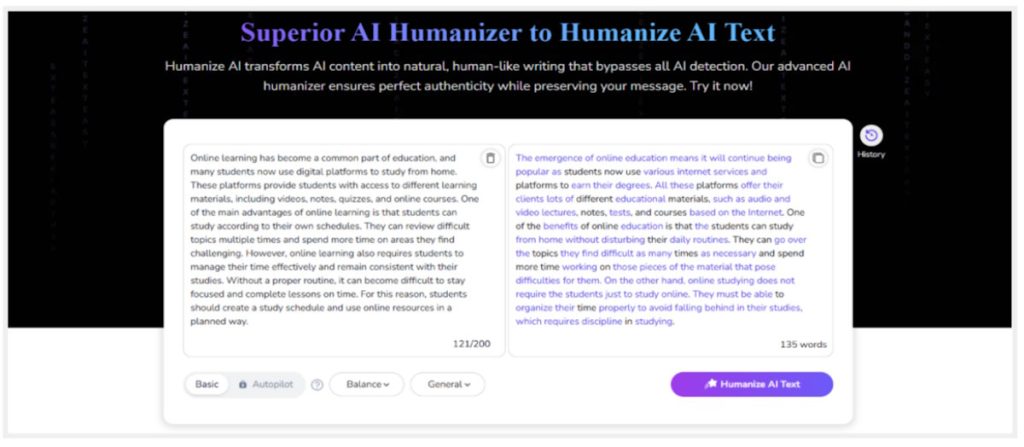
When checked for AI detection, it was marked as ‘human-written’:
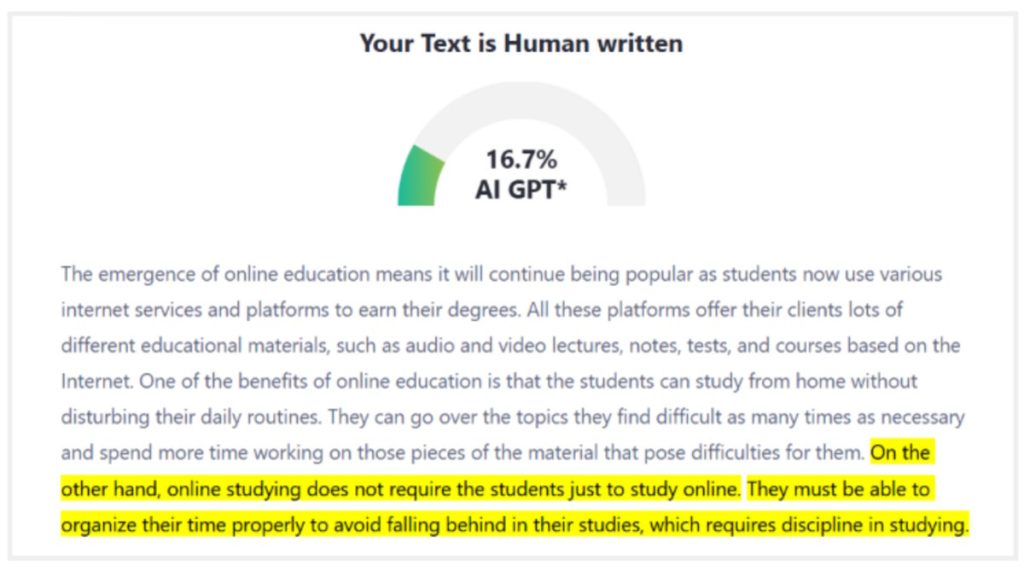
Although it took around 15 seconds (a little longer compared to the previous tools on the list) to humanize a paragraph of 121 words, it passed AI detection to a satisfactory degree. AI Humanize broke the rigid patterns of the machine-generated text. There were no factual shifts. The information stayed accurate. However, I noticed a bit of clunkiness in the output, which can be improved with minor tweaks before the piece feels ready.
Prominent Features
Pricing
It’s a freemium tool. The free version has strict limits. Multiple writing tone and style options are locked behind a paywall. Monthly plans start from $15 per month, while the yearly plans start from $6 a month. Notably, you can save up to 60% on purchasing an annual plan compared to a monthly plan.
Best For
Students, professionals, writers, and bloggers who need humanization with tone control and style adjustments
QuillBot’s Humanize AI is a part of the broader ecosystem built for writing. It sits alongside other writing tools like a grammar checker, paraphraser, plagiarism detector, and other familiar utilities. This tool is trained to remove common AI-like stiff and repetitive phrasing. It also has a built-in Human Score, which helps you gauge how natural your text sounds.
To check how it works, I asked the tool to humanize the AI text:
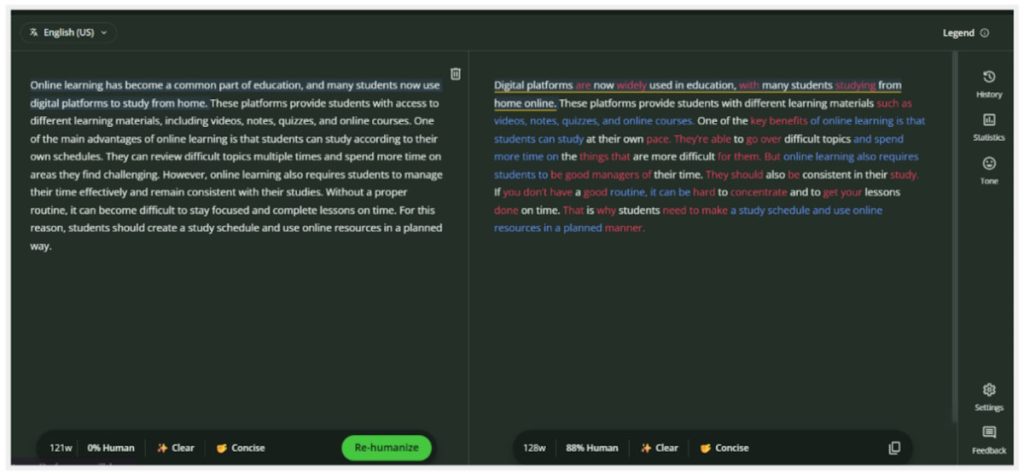
The tool was quick to provide me with the humanized text. The output also included the human score and the tone of the text (displayed at the bottom of the output field). I copied the text and checked it for AI, and the results were decent enough:
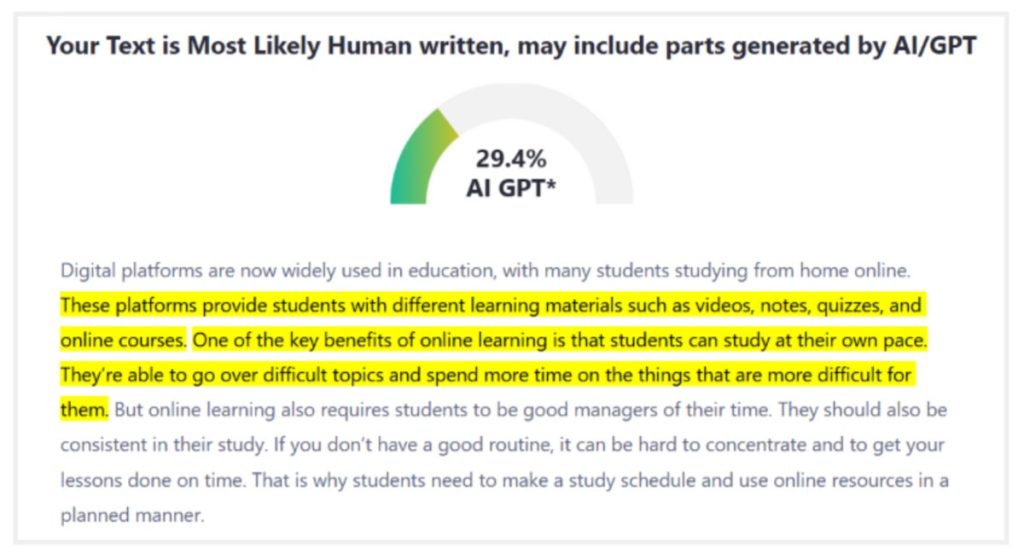
The output was neat and mostly preserved the original meaning of the text. What I noticed about QuillBot’s Humanize AI tool is that it smartly replaced the common AI phrases with more natural and human-sounding words. Having said that, the humanized text works best when it is followed up with a grammar check to catch a few punctuation shifts.
Prominent Features
Pricing
For occasional use, it’s available for free. To get access to premium features and higher limits, full platform subscriptions are offered. Subscriptions start at $2.50 per month.
Best For
Professionals and writers who are already using QuillBot’s writing tools and those who want to preserve the tone of the original text
Clever AI Humanizer is a completely free tool that doesn’t lock anything behind a paywall. It notably has a generous input limit of up to 3000 words per request. The main focus of this tool is polishing AI-generated content so it feels more structured and cleaner, with better rhythm.
I provided the tool with the same AI text that we have used for other tools’ testing. Then I set the writing style to “clear and structured” and asked it to humanize the text. Here’s how it responded:
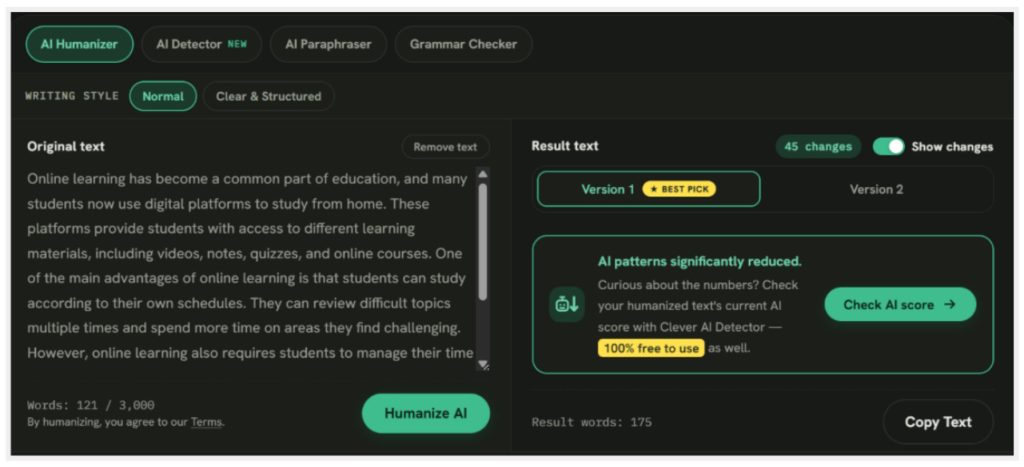
Apparently, the tool didn’t provide me with a clear, humanized version of the text. Instead, it displayed a box asking me to check the output’s AI score through its own built-in detector. However, a “Copy Text” option was available. So I copied the text and ran it through the AI detector:
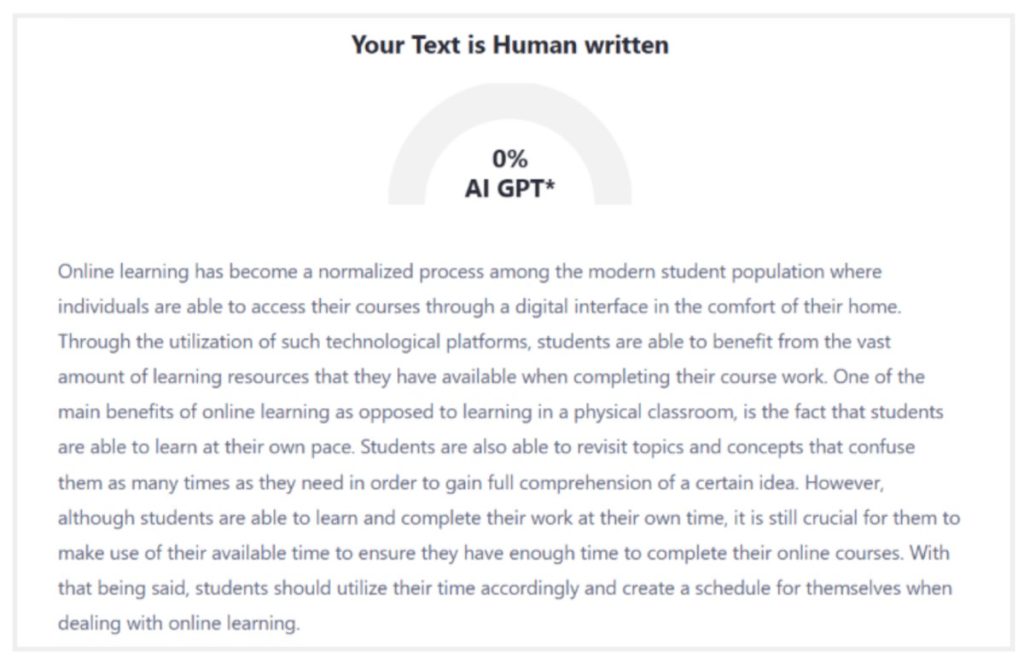
As you can see in the screenshot, it clearly bypassed the AI detection test. The sentence rhythm of the text was noticeably improved. However, I did notice a few repetitive and redundant phrases in the output, like “are able to” and “in order to”. And that’s exactly why the length of the text was extended from 121 to 175 words.
Although the tool has a high input limit and does the job when it comes to bypassing AI, the interface packs a lot of information on the screen. The humanizing process can take more time than expected. Also, a few generic transitions in the humanized text should be cleaned up before it’s finalized.
Prominent Features
Pricing
Completely free to use
Best For
Budget-conscious professionals, writers, marketers, students, and casual users who want unlimited humanization without worrying about subscriptions or daily limits
| Features | ezHumanizer | iLoveNote’s AI Humanizer | AI Humanize | QuillBot’s Humanize AI | Clever AI Humanizer |
| Humanizing Modes | 2 | 2 | 2 | 1 | 1 |
| Free Input limit | 700 | 400 | 200 | 125 | 3000 |
| Multiple writing styles | No | No | Yes (paid) | No | Yes |
| Output Quality | Very good | Good | Good | Satisfactory | Comparatively low |
| AI bypassing | Very good | Good | Satisfactory | Good | Very good |
| Languages | 30+ | 5 | 20 | 5+ | 3 |
| Speed | Very fast | Fast | Slow | Fast | Slow |
| Ease of use | Very Easy | Very Easy | Easy | Easy | A bit of a congested interface |
This article lists several alternatives for humanizeAI.pro. Each one handles and humanizes AI text in its own way. Some focus on content quality and ease of use. Others focus on providing higher limits and AI bypassing.
The best choice ultimately depends on your specific needs. Whatever tool you decide to work with, always make sure to review the tool’s output for accuracy and grammar. Do a few manual tweaks and replace any awkward phrasing. This will help you maintain your own voice in the text while keeping it authentic and natural.